2.4 GPU Device Information
2018-03-10 | CUDA , Freshman | 0 |
Abstract: This article covers just one topic: how to retrieve device (one or more) information. Keywords: CUDA Device Information
GPU Device Information
When using CUDA, there are generally two scenarios. One is writing code for yourself, using your own machine or a known server. In this case, you can just check the manual or configuration to know what GPU model you're using and all its information. The other scenario is writing programs that are general-purpose or part of a framework. Here, we need to determine the current hardware environment before using CUDA, so our program doesn't crash due to different devices. This article introduces two methods. The first is suitable for general-purpose programs or frameworks. The second is for querying your local machine or a server you can log into, which generally doesn't change -- in this case, a single command provided by the NVIDIA driver makes querying device information very convenient.
Querying GPU Information via API
To query information within software, use the following code:
#include <cuda_runtime.h>
#include <stdio.h>

int main(int argc, char** argv)
{
    printf("%s Starting ...\n", argv[0]);
    int deviceCount = 0;
    cudaError_t error_id = cudaGetDeviceCount(&deviceCount);
    if(error_id != cudaSuccess)
    {
        printf("cudaGetDeviceCount returned %d\n ->%s\n",
               (int)error_id, cudaGetErrorString(error_id));
        printf("Result = FAIL\n");
        exit(EXIT_FAILURE);
    }
    if(deviceCount == 0)
    {
        printf("There are no available device(s) that support CUDA\n");
    }
    else
    {
        printf("Detected %d CUDA Capable device(s)\n", deviceCount);
    }

    int dev = 0, driverVersion = 0, runtimeVersion = 0;
    cudaSetDevice(dev);
    cudaDeviceProp deviceProp;
    cudaGetDeviceProperties(&deviceProp, dev);
    printf("Device %d:\"%s\"\n", dev, deviceProp.name);
    cudaDriverGetVersion(&driverVersion);
    cudaRuntimeGetVersion(&runtimeVersion);
    printf("  CUDA Driver Version / Runtime Version         %d.%d  /  %d.%d\n",
           driverVersion / 1000, (driverVersion % 100) / 10,
           runtimeVersion / 1000, (runtimeVersion % 100) / 10);
    printf("  CUDA Capability Major/Minor version number:   %d.%d\n",
           deviceProp.major, deviceProp.minor);
    printf("  Total amount of global memory:                %.2f GBytes (%llu bytes)\n",
           (float)deviceProp.totalGlobalMem / pow(1024.0, 3),
           deviceProp.totalGlobalMem);
    printf("  GPU Clock rate:                               %.0f MHz (%0.2f GHz)\n",
           deviceProp.clockRate * 1e-3f, deviceProp.clockRate * 1e-6f);
    printf("  Memory Bus width:                             %d-bits\n",
           deviceProp.memoryBusWidth);
    if (deviceProp.l2CacheSize)
    {
        printf("  L2 Cache Size:                                %d bytes\n",
               deviceProp.l2CacheSize);
    }
    printf("  Max Texture Dimension Size (x,y,z)            1D=(%d),2D=(%d,%d),3D=(%d,%d,%d)\n",
           deviceProp.maxTexture1D, deviceProp.maxTexture2D[0], deviceProp.maxTexture2D[1],
           deviceProp.maxTexture3D[0], deviceProp.maxTexture3D[1], deviceProp.maxTexture3D[2]);
    printf("  Max Layered Texture Size (dim) x layers       1D=(%d) x %d,2D=(%d,%d) x %d\n",
           deviceProp.maxTexture1DLayered[0], deviceProp.maxTexture1DLayered[1],
           deviceProp.maxTexture2DLayered[0], deviceProp.maxTexture2DLayered[1],
           deviceProp.maxTexture2DLayered[2]);
    printf("  Total amount of constant memory:               %lu bytes\n",
           deviceProp.totalConstMem);
    printf("  Total amount of shared memory per block:      %lu bytes\n",
           deviceProp.sharedMemPerBlock);
    printf("  Total number of registers available per block:%d\n",
           deviceProp.regsPerBlock);
    printf("  Warp size:                                     %d\n", deviceProp.warpSize);
    printf("  Maximum number of threads per multiprocessor: %d\n",
           deviceProp.maxThreadsPerMultiProcessor);
    printf("  Maximum number of threads per block:          %d\n",
           deviceProp.maxThreadsPerBlock);
    printf("  Maximum size of each dimension of a block:    %d x %d x %d\n",
           deviceProp.maxThreadsDim[0], deviceProp.maxThreadsDim[1], deviceProp.maxThreadsDim[2]);
    printf("  Maximum size of each dimension of a grid:     %d x %d x %d\n",
           deviceProp.maxGridSize[0],
           deviceProp.maxGridSize[1],
           deviceProp.maxGridSize[2]);
    printf("  Maximum memory pitch:                          %lu bytes\n", deviceProp.memPitch);
    exit(EXIT_SUCCESS);
}
The main APIs used are listed below. To understand API functionality, it's best not to rely on blogs because blogs don't keep up with changes -- read the documentation instead. So I won't explain each one individually here. The solution for not understanding APIs: read the docs, read the docs, read the docs!
cudaSetDevicecudaGetDevicePropertiescudaDriverGetVersioncudaRuntimeGetVersioncudaGetDeviceCount
The output looks like this:
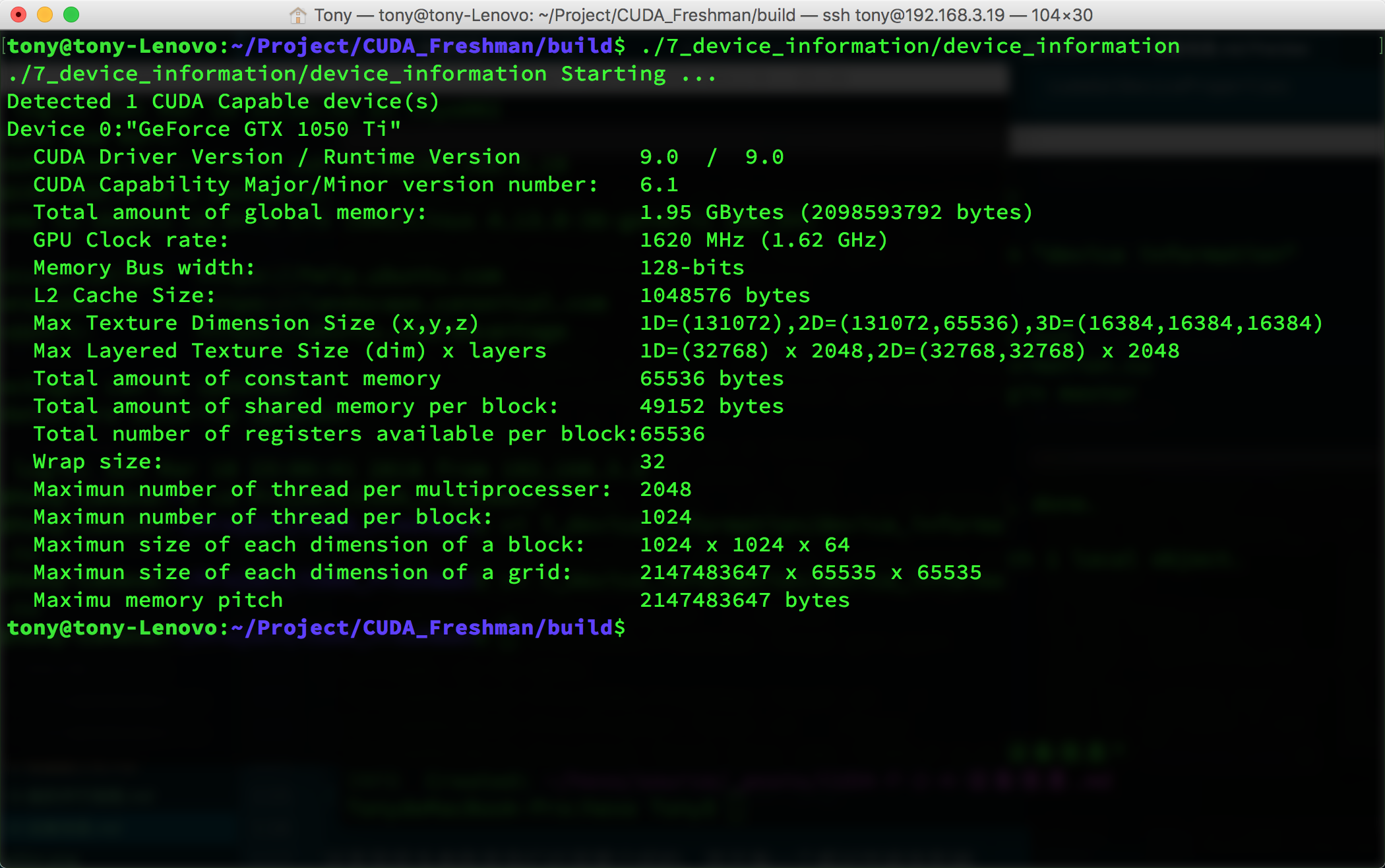
Many of these parameters are ones we'll introduce later, and each one affects performance:
- CUDA Driver Version
- Device Compute Capability Number
- Global Memory Size
- GPU Clock Rate
- GPU Bandwidth
- L2 Cache Size
- Maximum Texture Dimension for different dimensions
- Maximum Layered Texture Dimension
- Constant Memory Size
- Shared Memory per Block
- Registers per Block
- Warp Size
- Maximum threads per hardware multiprocessor
- Maximum threads per block
- Maximum block dimensions
- Maximum grid dimensions
- Maximum contiguous linear memory
All of the above are critical parameters we'll use later. These will seriously affect our efficiency. We'll cover each one later -- different device parameters require different configurations to maximize program efficiency. So we must obtain all the parameters we care about before the program runs.
NVIDIA-SMI
nvidia-smi is a tool included with the NVIDIA driver that returns device information for the current environment:
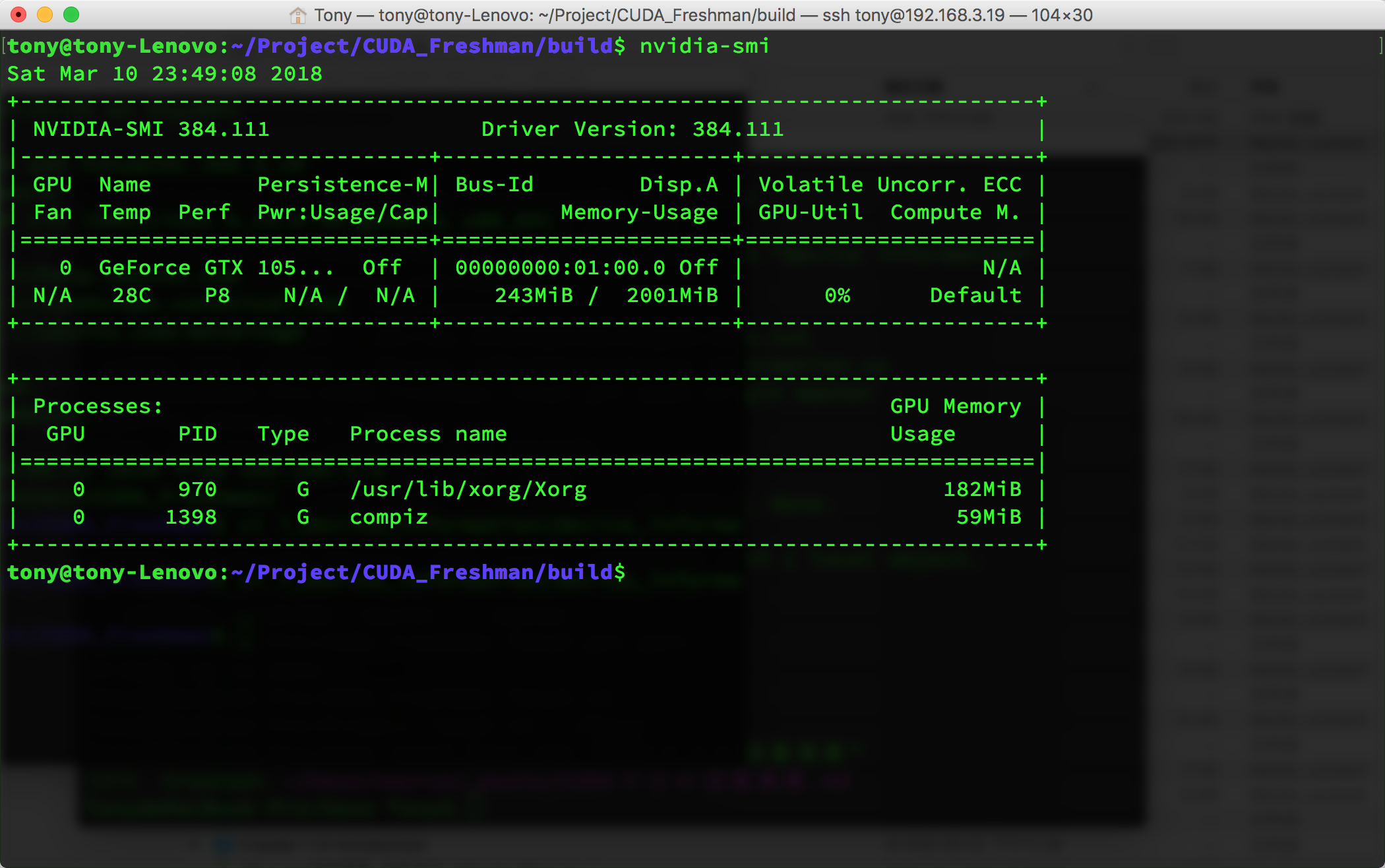
This command can accept various parameters -- of course, you should check the documentation for the parameters:
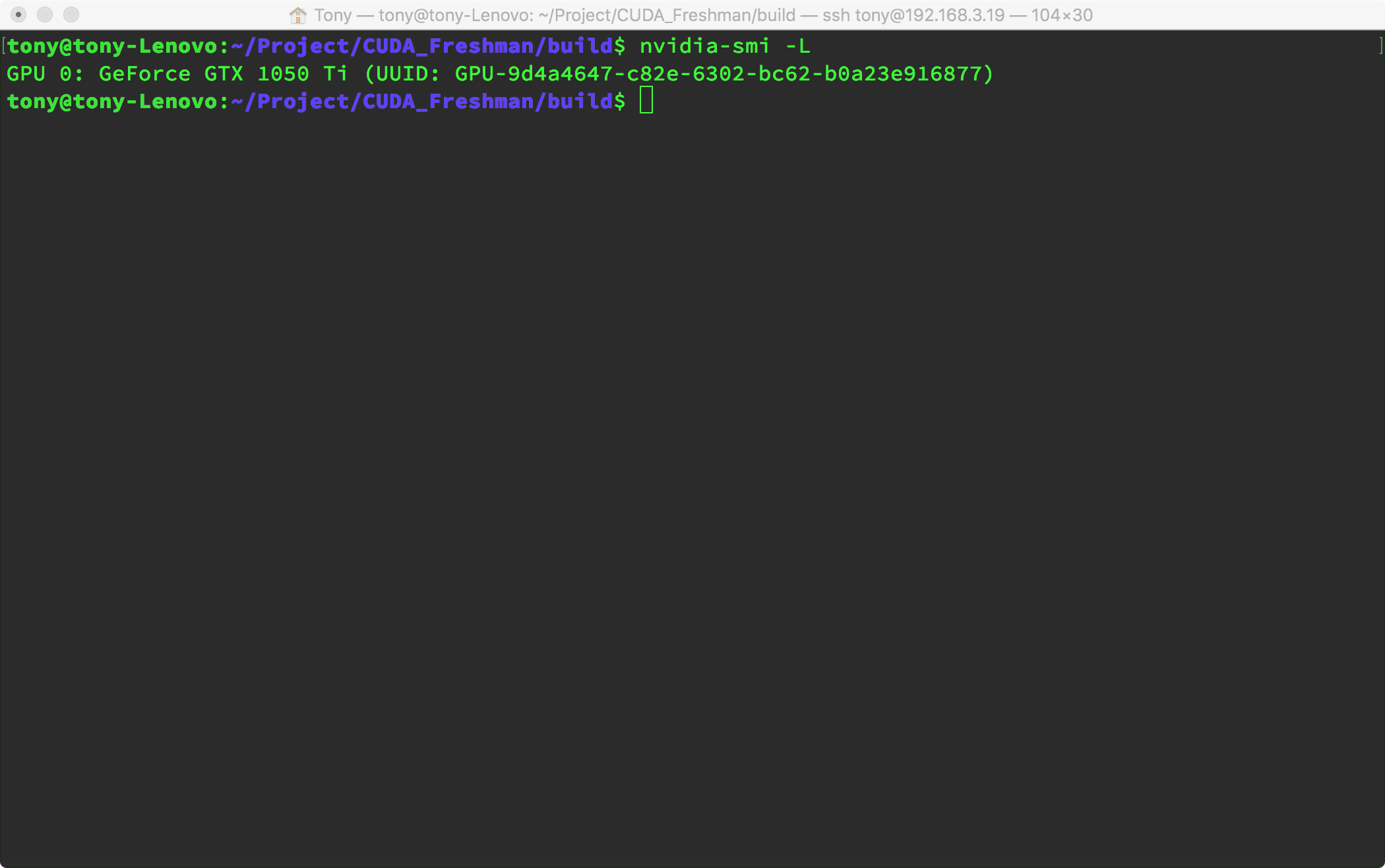
Using the following parameter, you can condense all that verbose information, which can help us get device information in scripts. For example, we can write a script that runs before compilation when building general-purpose programs to get device information, then bake the optimal parameters into the binary at compile time. This way, the program won't waste resources querying device information at runtime.
In other words, we can write general-purpose programs in two ways:
Getting device information at runtime:
- Compile the program
- Launch the program
- Query information, save to global variables
- Functional functions determine current device info through global variables, optimize parameters
- Program finishes
Getting device information at compile time:
- Script obtains device information
- Compile the program, adjust and bake parameters into the binary machine code based on device information
- Run the program
- Program finishes
For detailed information, use:
nvidia-smi -q -i 0
You'll get the following information, which is too detailed to include as a screenshot:
==============NVSMI LOG==============

Timestamp                           : Sun Mar 11 00:01:39 2018
Driver Version                      : 384.111

Attached GPUs                       : 1
GPU 00000000:01:00.0
    Product Name                    : GeForce GTX 1050 Ti
    Product Brand                   : GeForce
    Display Mode                    : Disabled
    Display Active                  : Disabled
    Persistence Mode                : Disabled
    Accounting Mode                 : Disabled
    Accounting Mode Buffer Size     : 1920
    Driver Model
        Current                     : N/A
        Pending                     : N/A
    Serial Number                   : N/A
    GPU UUID                        : GPU-9d4a4647-c82e-6302-bc62-b0a23e916877
    Minor Number                    : 0
    VBIOS Version                   : 86.07.3A.00.27
    MultiGPU Board                  : No
    Board ID                        : 0x100
    GPU Part Number                 : N/A
    ...
The following nvidia-smi -q -i 0 parameters can extract the information we need (so we don't need to use regular expressions):
- MEMORY
- UTILIZATION
- ECC
- TEMPERATURE
- POWER
- CLOCK
- COMPUTE
- PIDS
- PERFORMANCE
- SUPPORTED_CLOCKS
- PAGE_RETIREMENT
- ACCOUNTING
For example, to get memory information:
nvidia-smi -q -i 0 -d MEMORY
This gives:
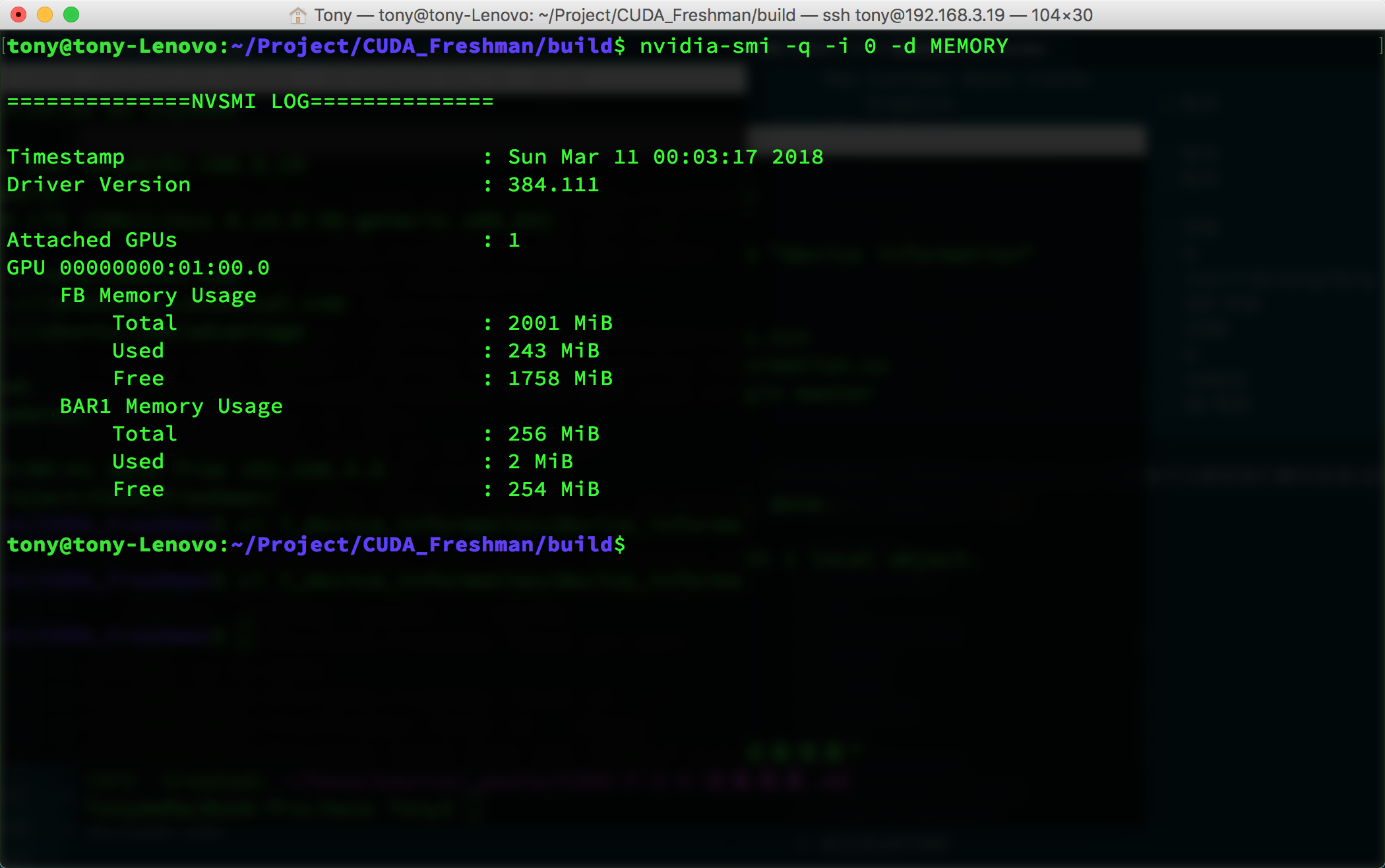
For multiple devices, simply change the 0 above to the corresponding device number.
Summary
Today there's no theoretical content -- it's all technical. The best way to solve technical problems is to read the documentation. For principles, you need to read books and tutorials. At this point, we've roughly covered the CUDA programming model -- kernel functions, timing, memory, threads, and device parameters. These are enough to write programs that are much faster than CPU. But to pursue even greater speed, we need to study every detail in depth. Starting from the next article, we'll dive deep into the hardware to uncover the secrets behind it.